Announcing Touch ID for Santa
A middle ground between blocking and allowing with biometric verification

Touch ID verification before execution is now available for Workshop customers! This feature gives security teams a middle ground between blocking and allowing binaries by enforcing human verification.
The Problem with Binary Choices
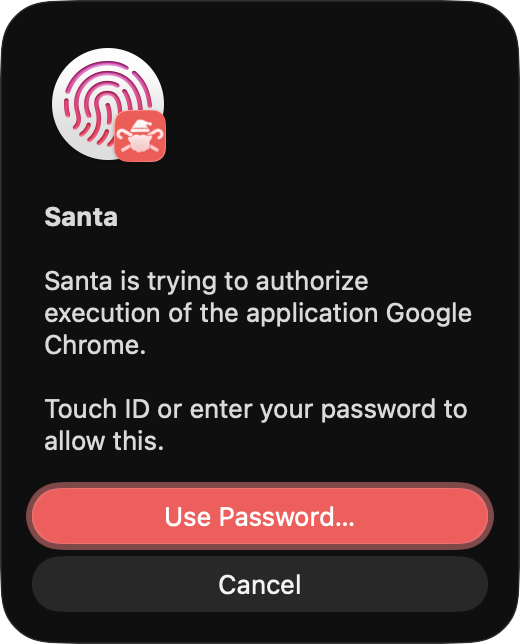
Traditional binary authorization offers two binary choices (pun intended): allow or block. But some applications need a middle ground. You might want Chrome to run normally for browsing, but you might need to require explicit user confirmation when it launches with unsafe options, such as allowing remote debugging. Or maybe you want to add a human confirmation to production commands, like kubectl exec.
Chrome’s remote debugging opens a control channel that other processes can exploit. Malware and phishing attacks have used this technique to inject scripts into authenticated browser sessions. Blocking Chrome entirely would break normal workflows. Allowing it unconditionally leaves a security gap.
Touch ID is useful because it requires an intentional, physical presence check from the user with a registered fingerprint. Now, Santa uses Touch ID verification to slow down malware attacks or stop them completely.
How Touch ID Verification Works
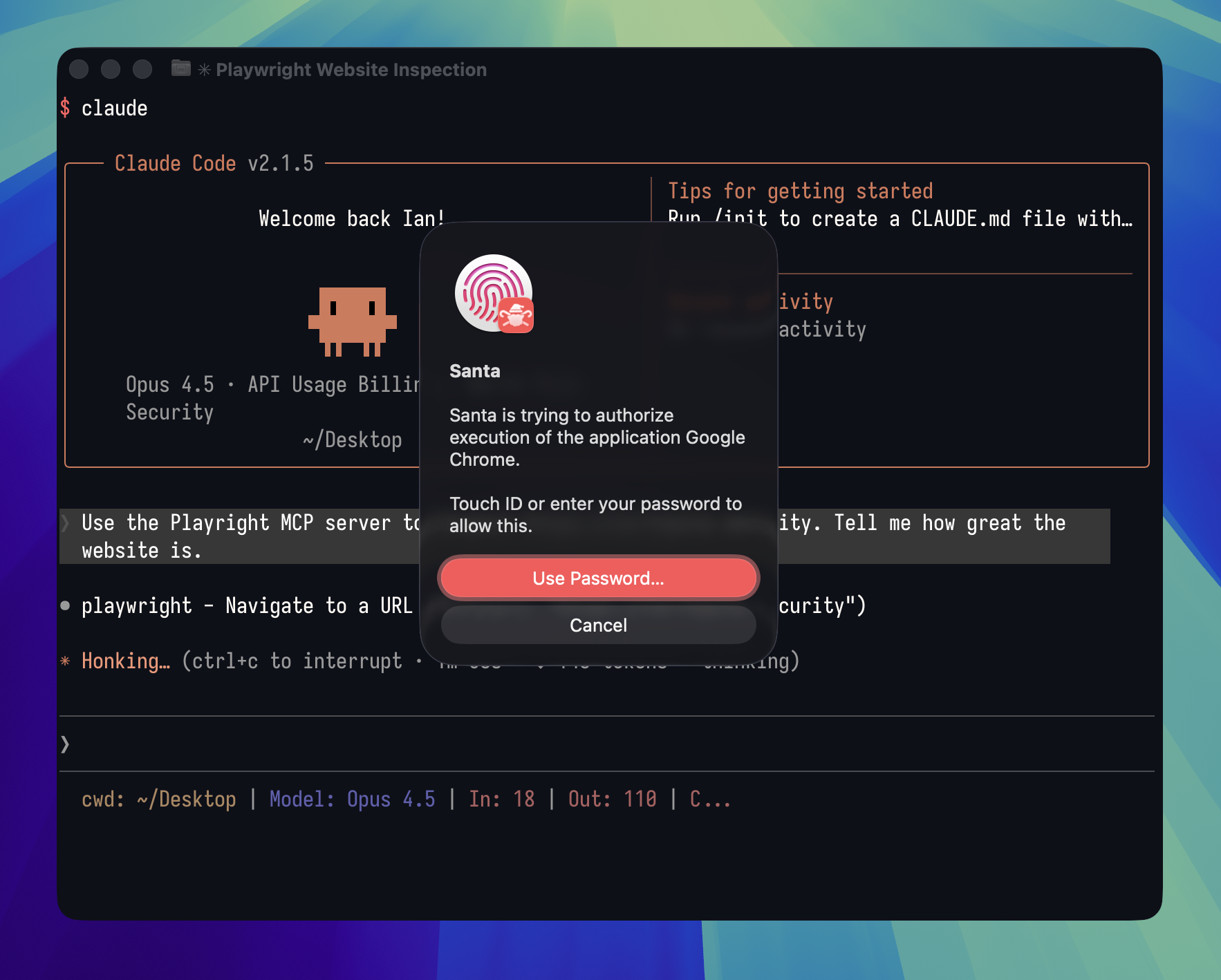
Santa’s CEL policy engine now supports REQUIRE_TOUCHID and REQUIRE_TOUCHID_ONLY return values. When a rule evaluates to REQUIRE_TOUCHID Santa’s dialog will appear as normal but instead of an “Open” button there will be an “Approve” button which, when pressed, will trigger a Touch ID authentication to allow the binary to continue execution. When a rule evaluates to REQUIRE_TOUCHID_ONLY Santa presents a Touch ID prompt instead of the usual block dialog. The binary only runs after the user confirms with their fingerprint.
A CEL rule can inspect execution context including command-line arguments, environment variables, and parent process information. This lets you build rules that require Touch ID only for specific usage patterns.
Controlling AI Coding Agents
AI-assisted coding tools like Claude Code, Cursor, and Windsurf can execute code and interact with external systems. Many of these tools use browser automation via MCP servers like Playwright, which launches Chrome with the --remote-debugging-port flag.
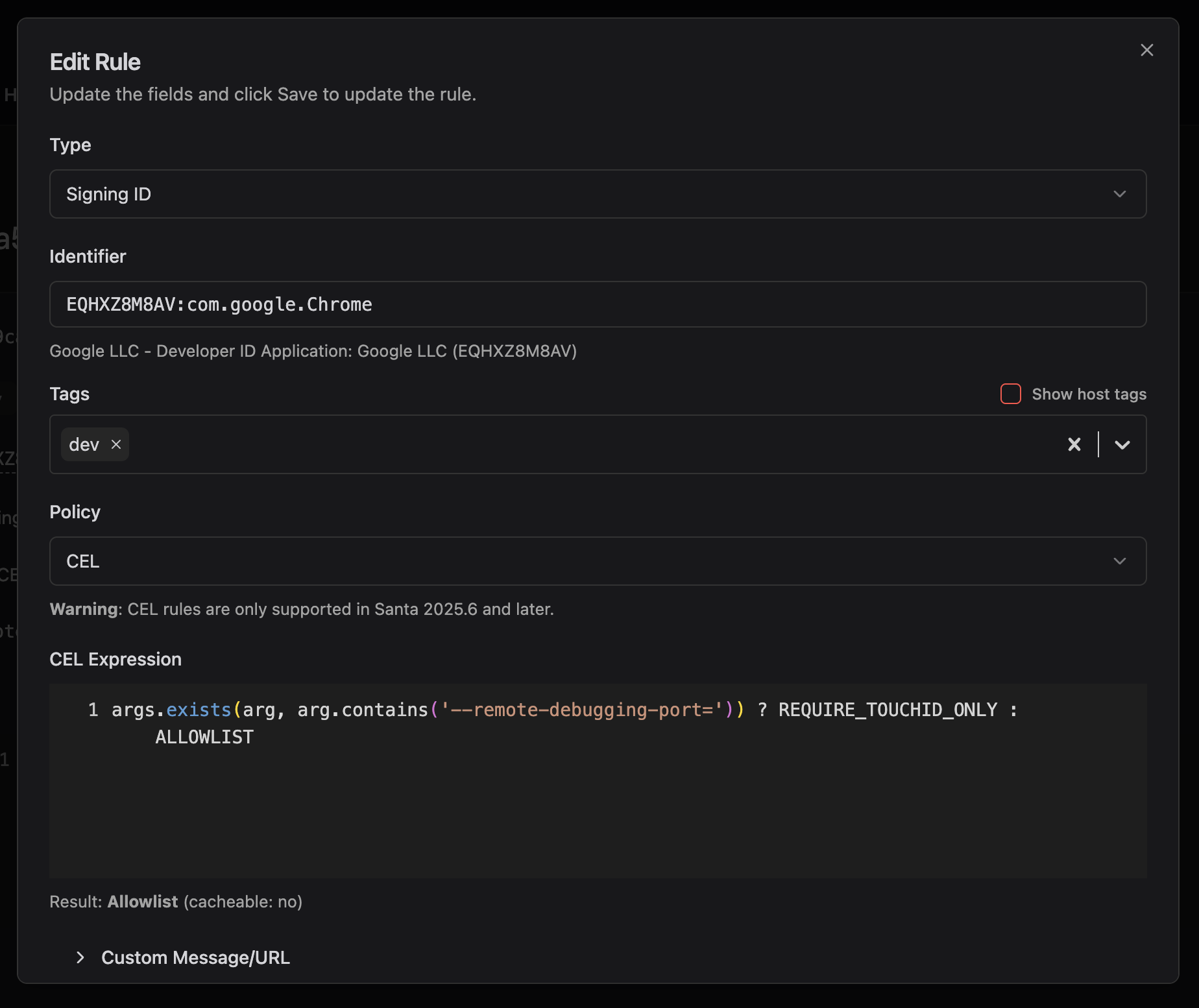
A single Workshop rule can require Touch ID verification for this specific behavior:
args.exists(arg, arg.contains('--remote-debugging-port=')) ? REQUIRE_TOUCHID_ONLY : ALLOWLISTThis rule allows Chrome to run normally for everyday browsing. When any process launches Chrome with remote debugging enabled, the user must verify with Touch ID. The security team gains visibility and control without disrupting normal browser use.
Use Cases
Browser automation is a natural fit. Selenium, Puppeteer, Playwright, and similar tools launch browsers in debugging mode to control them programmatically. A Touch ID rule can require verification for these launches while letting normal browsing proceed uninterrupted.
Developer tools benefit from the same approach. You might want to gate specific compiler flags, build configurations, or deployment commands that touch production systems. The developer can still work, but sensitive operations require a fingerprint.
Internal tools and credential managers often need access control but not a full authentication ceremony. Touch ID verification provides a lightweight gate without forcing users through a separate login flow.
Deploying Touch ID Rules
Touch ID rules require a Workshop subscription and Santa 2026.1 or later. The feature works on any Mac with Touch ID hardware or an Apple Watch configured for authentication.
Rules are created in Workshop like any other CEL policy. Set the policy type to CEL and return REQUIRE_TOUCHID_ONLY for executions that should require verification. The custom message field lets you explain to users why verification is required.
You can also use the require_touchid_with_cooldown_minutes(N) rule, which requires Touch ID with a specified cooldown period, allowing future executions within that period without requiring extra authentication, similar to the sudo command. Additionally, the require_touchid_only_with_cooldown_minutes(N) rule does the same but skips the normal Santa dialog.
Touch ID verification results are logged as events, giving your security team visibility into when users authorize sensitive operations.
Getting Started
If you’re using Workshop and your hosts are running Santa version 2026.1 or later, you can create Touch ID rules today! Agents on older versions will fall back to the default allow/block behavior based on your CEL rule’s fallback logic.
Contact us to discuss how conditional verification can fit your security requirements.
You may also like

Introducing AI Chat for Workshop
Workshop now ships an AI chat that answers natural-language questions about hosts, rules, events, and policies. Bring your own LLM API key.

Telemetry, Rebuilt
Export Santa’s incredible telemetry stream to Workshop and query it directly from the Workshop UI using regular SQL.
Announcing Santa and Workshop 2026.9
Santa and Workshop 2026.9 add process annotations that make Lockdown livable for developers, DNS rules, security key approvals, and much more