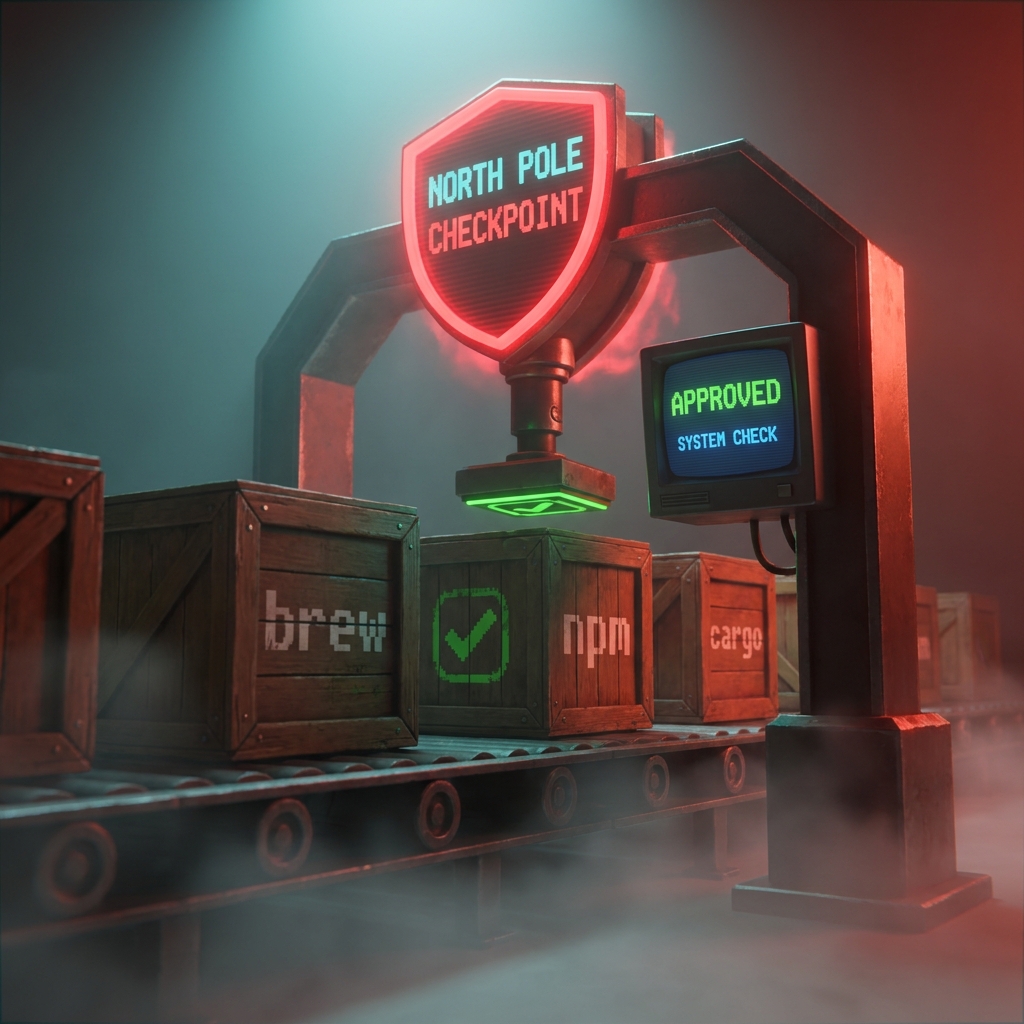
Introducing Package Rules
Automatic allowlist management for open-source packages

If you’ve ever managed a fleet of developer machines with Santa in Lockdown mode, you know the pain: a developer runs brew upgrade and suddenly they can’t use essential software anymore. The hash changed. Now you’re scrambling to look up the new binary, extract its hash, and push an updated rule.
If you multiply that by every Homebrew package, npm global, and Cargo binary across your organization, it’s exhausting. Some teams have even built their own automation using macOS VMs to extract hashes from package managers. We built Package Rules into Workshop, our flagship enterprise-grade endpoint protection platform, to eliminate this problem entirely.
Simply tell Workshop which packages your team needs, like homebrew/wget or npm/typescript, and Workshop automatically creates and maintains execution rules for every version of that package.
When a new version of a Homebrew package is released, Workshop detects it, downloads the bottle, extracts the binary identifiers, and updates your rules. Your developers never get blocked, and you never have to manually look up another hash!
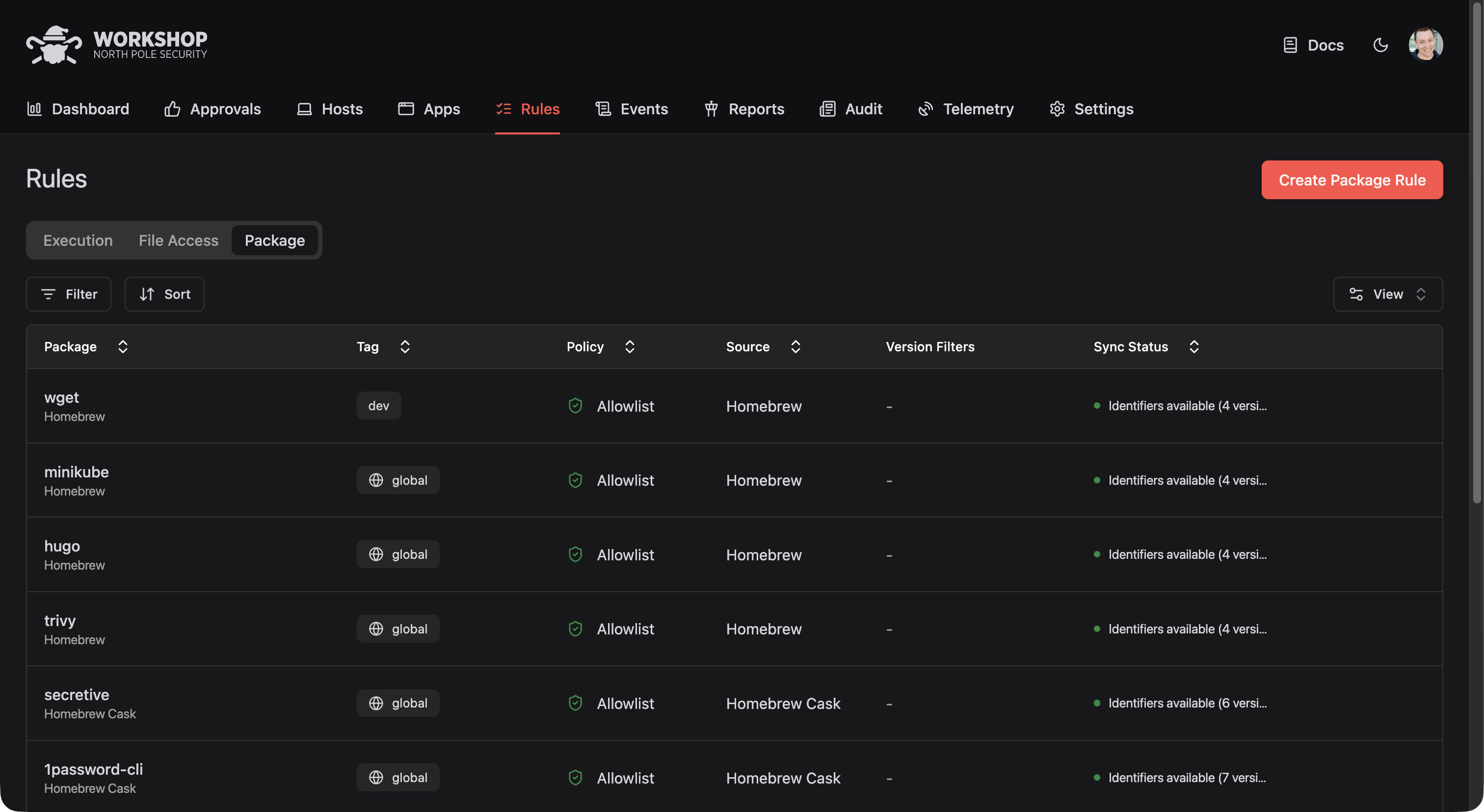
How It Works
Creating a Package Rule takes about 20 seconds:
- Select the package source (Homebrew, npm, Cargo, GitHub, etc.)
- Enter the package name
- Choose which tag should get the rule (see below)
- Select the policy (allow, deny, etc.)
- Pick your preferred rule type (signing ID, team ID, or binary hash)
- Optionally filter by version or release date
Workshop will frequently sync to pick up new package versions. You can also trigger a manual sync from the Package Rule details page if you need rules immediately.
Supported Package Sources
Package Rules currently supports nine package ecosystems:
- Homebrew and Homebrew Casks for macOS command-line tools and applications
- npm for Node.js packages with executables
- Cargo for Rust binaries from crates.io
- GitHub Releases for binaries distributed via GitHub
- VS Code Extensions via Open VSX
- Terraform Providers from the Terraform registry
- Bazel Modules from the Bazel Central Registry
- Arbitrary URLs for packages hosted elsewhere
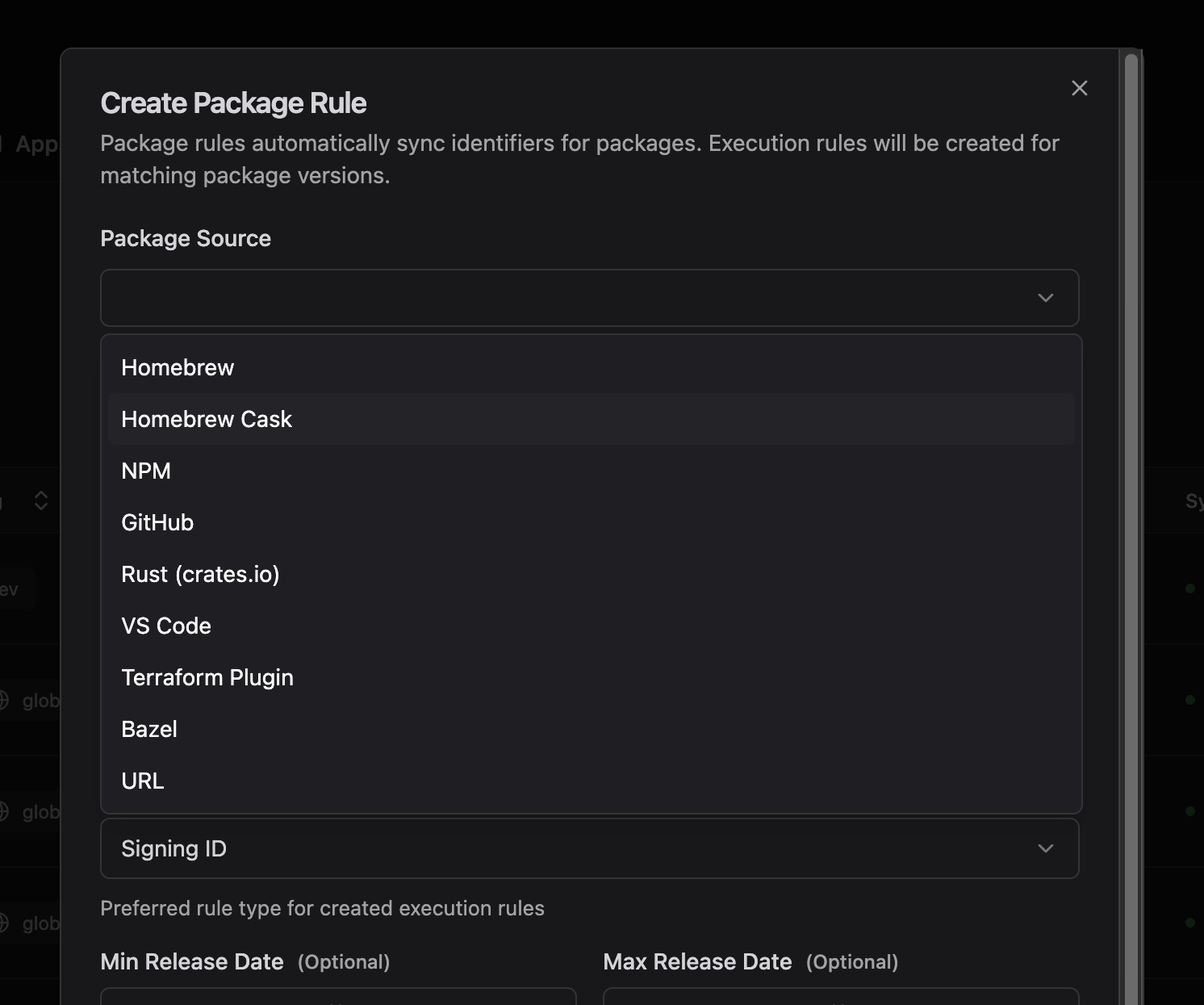
Yes, some of these package managers rarely contain binary executables, but some do! And if there’s a package ecosystem we don’t support yet, let us know. We’re actively expanding coverage based on customer feedback.
Tags: The Missing Piece
Every Package Rule targets a specific tag. Tags determine which hosts receive the rule. A Package Rule for homebrew/ripgrep targeting the engineering tag means only hosts with that tag get the ripgrep allowlist. This alone is useful for manual host management.
But Workshop’s directory sync makes it transformational. Workshop can sync users and groups from your identity provider via SCIM. When you enable directory sync, Workshop automatically imports your organizational structure.
The big picture looks like this:
- Your IdP has an “Engineering” group containing your developers
- Workshop syncs that group and you assign it the
engineeringtag - You create Package Rules for
homebrew/wget,homebrew/ripgrep,npm/typescripttargetingengineering - A new developer joins, IT adds them to “Engineering” in Okta, and their Mac automatically gets access to all those tools
No manual tagging. No per-host configuration. No tickets to IT every time someone needs a new tool.
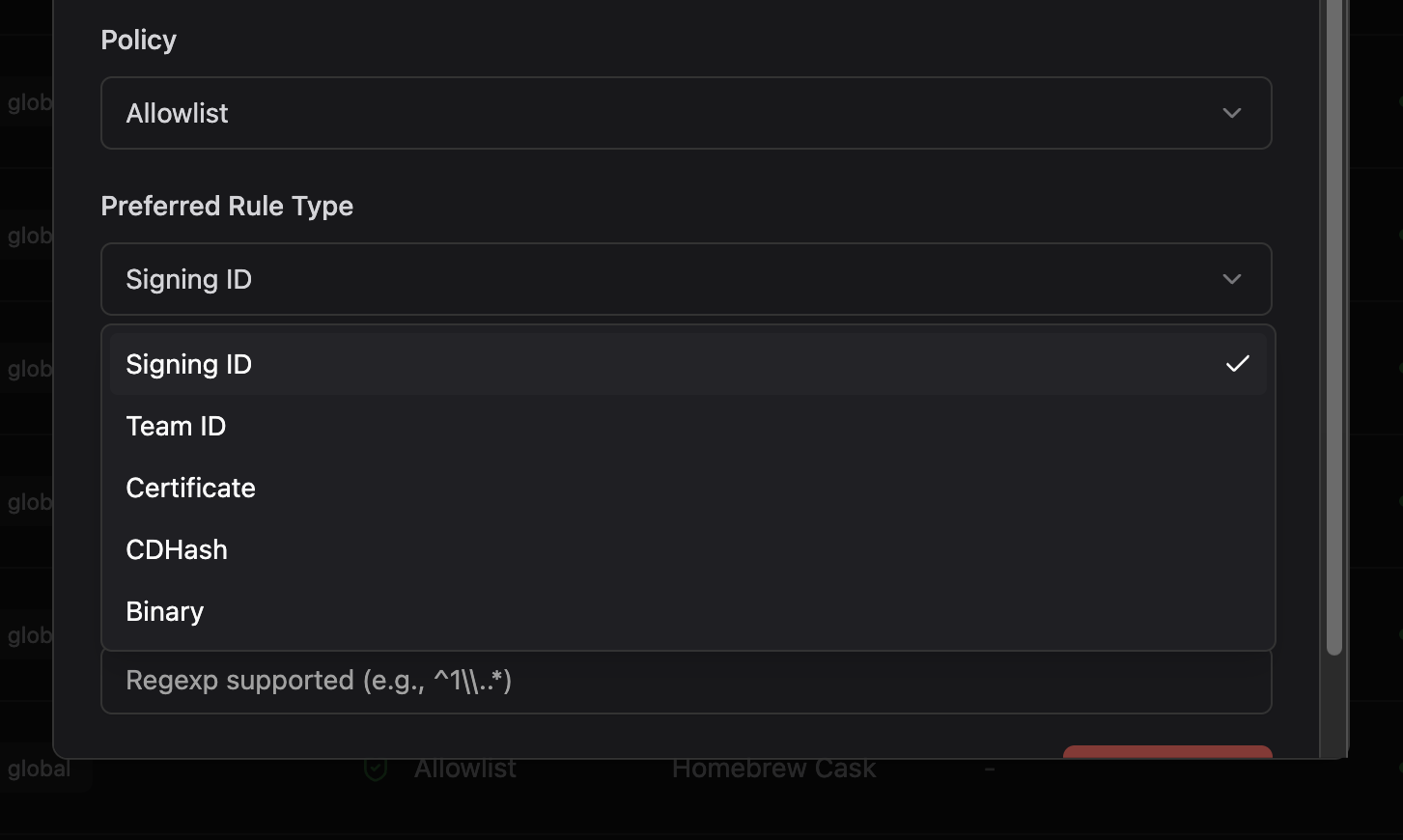
Smart Rule Type Selection
Open-source packages present a unique challenge: many are unsigned or use ad-hoc signatures. Apple charges $99/year to sign your code with a stable identity, and commercial vendors pay it without blinking. But open-source maintainers who maintain packages in their spare time typically don’t, so their binaries are left unsigned. Without valid signatures, allowlisting must fall back to using binary hashes, and Homebrew bottles produce different hashes for every build.
Package Rules handles this with a fallback system. You pick your preferred rule type, and Workshop uses it when available. If an executable is ad hoc signed or doesn’t have signing information, Workshop falls back to the next best option:
Team ID → Certificate → Signing ID → CDHash → Binary Hash
If you prefer signing ID rules but a package’s binaries only have hashes, you’ll get binary hash rules. No manual intervention needed.
Version Filtering
Sometimes you don’t want every version of a package. Maybe an app has recently been patched and you want to prevent old versions from running, or maybe an app has been exploited and you want to prevent users from updating. Package Rules supports three types of version filters:
- Minimum release date: Only include versions released after a certain date
- Maximum release date: Only include versions released before a certain date
- Version regex: Filter versions with a regular expression (e.g.,
^1\..*for 1.x versions only)
Tracking What Package Rules Create
Every execution rule created from a Package Rule links back to its source. The rule details page shows which Package Rule generated it, and the Package Rule details page lists all the execution rules it has created.
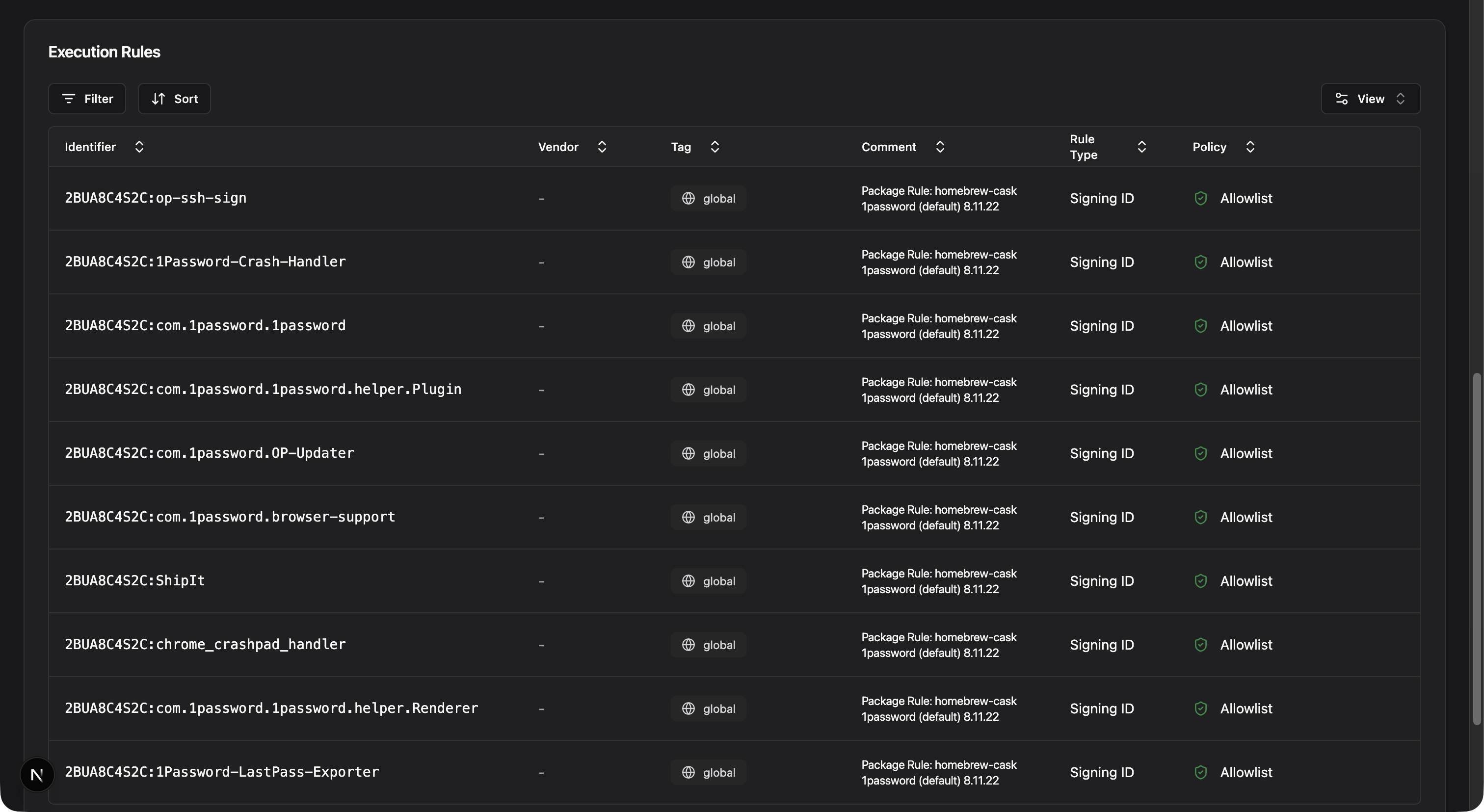
Rule comments also make the source clear:
Package Rule: homebrew wget (arm64_sequoia) 1.24.5This makes auditing straightforward. When someone asks why a binary is allowed, simply trace it back to the Package Rule and the admin decision behind it. And when you delete a Package Rule, Workshop can clean up the execution rules it generated.
Getting Started
Package Rules will be available for Workshop customers in our next release this month. If you’re new to Workshop, contact us to see Package Rules in action. We can walk through your current package management workflow and show you how much time Package Rules can save.
You may also like

A Private Sync Protocol for Workshop
A new, private sync protocol has been introduced for Workshop customers that allows for faster feature delivery and iteration.

One Year of North Pole Security
Join us as we reflect on North Pole Security's first year, highlighting our achievements, challenges, and the dedicated team behind our success.

We Raised $4M to Reimagine Endpoint Security
North Pole Security closes a $4M seed round led by Andreessen Horowitz to accelerate Workshop, our prevention-first endpoint platform for macOS.