
Block data exfiltration via removable media
Workshop pushes USB, FireWire, and network mount policy to every Mac in your fleet and prevents unauthorized data transfer.


Capabilities
Santa's media control options
Three layers of removable media policy, all configured from Workshop and pushed instantly to every Mac in your fleet.
Block USB and FireWire
Prevent any removable or ejectable storage from mounting. Covers USB flash drives, USB4 NVMe SSDs, FireWire and Thunderbolt disks, and SD cards in built-in readers. Decisions happen at the Disk Arbitration layer, so unauthorized devices never expose a filesystem to userspace. Workshop pushes the setting instantly via APNS, no MDM round-trip.
Force read-only
Allow mounting but remount with rdonly, nosuid, and noexec flags. Users can read files from removable media but cannot write, execute, or copy data out. Useful for receiving files from contractors or customers without giving up egress control. Toggle it per-tag in Workshop so finance can be stricter than engineering.
Block network mounts
Block mounting of SMB, NFS, and AFP network shares at the kernel level. Stops attackers and insiders from mounting arbitrary file servers to exfiltrate data or stage payloads. Managed from the same Workshop configuration as USB controls, with every mount attempt logged to the events pipeline.
User experience
Clear user notifications
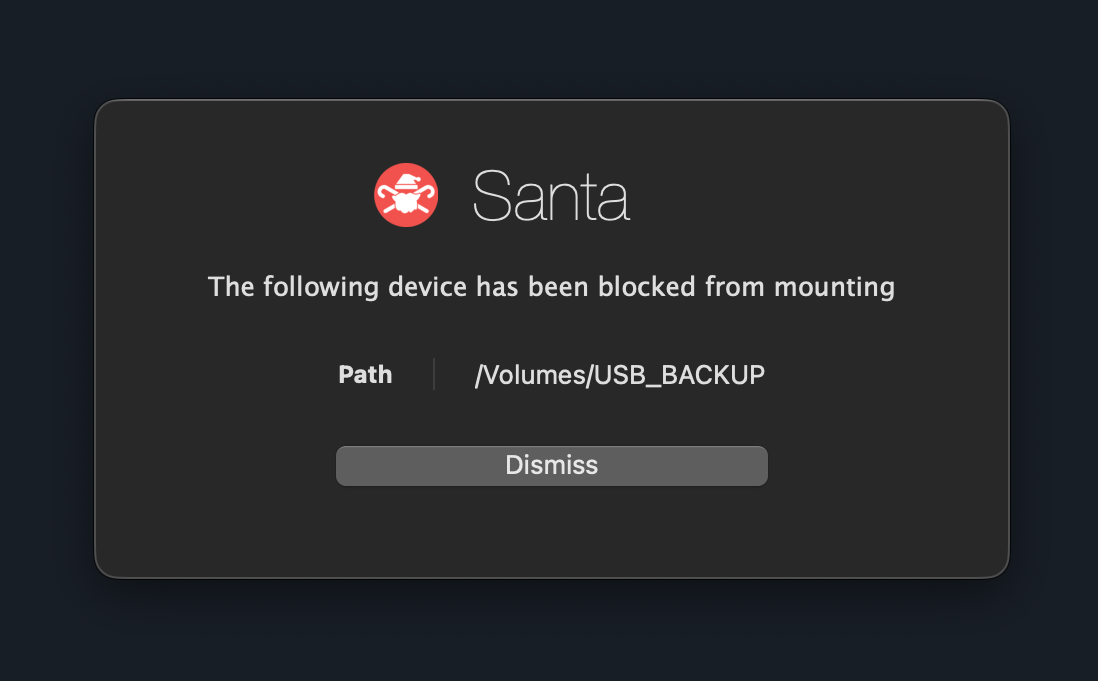
When a device is blocked, users see a native macOS notification explaining why and who to contact. No mystery failures, no support tickets asking why a drive will not work. Every block also streams to Workshop's events view so your security team sees the attempt in real time.
-
Native macOS
Blocks surface as standard system notifications, not a custom popup. Users see them in the same place they see every other macOS alert.
-
Custom message
Tailor the body text per fleet or per tag so users know exactly what was blocked and what to do next. No mystery failures or support tickets.
-
Direct to admin contact
Include the admin or helpdesk contact right in the notification. Users can reach the right person in seconds, and every block streams to Workshop in real time.
Modes
Flexible configuration
Roll out removable media policy the same way you roll out binary rules: start in audit, review events, then tighten per-tag or per-fleet when you are ready.
Complete block
USB and SD devices cannot mount at all. The user sees a native macOS notification explaining why and who to contact. Best for high-security environments and compliance-driven fleets.
Read-only mode
USB and SD devices mount as read-only. Users can read files from external media but cannot write or copy data to the device. Best for environments that need read access for inbound files but no egress.
Audit only
All USB and SD operations are logged but not blocked. Use this to baseline your environment before enforcement and understand which devices users actually rely on. Best for initial deployment.
Use cases
Where teams use it
Prevent data theft
Block employees from copying sensitive data to USB drives. Stop insider threats and accidental data leaks with a control that runs entirely on the endpoint.
Meet compliance requirements
Many compliance frameworks require removable media controls. Workshop's blocking helps satisfy NIST, PCI-DSS, HIPAA, and other framework requirements.
Secure environments
Air-gapped fleets, trading floors, secure research labs. Anywhere removable media poses a risk, Workshop gives you a single switch to lock it down.
Removable media blocking is part of Workshop
Pair it with binary authorization, approval workflows, and rich telemetry to protect every layer of your fleet.