
Automated risk assessment for every binary
Approvers make faster, safer decisions when every request is pre-screened by your full stack of threat intelligence.


The safety net
Never approve malware by mistake
Allowlisting keeps unknown software from running. Approval workflows let users unblock the software they need. Workshop's Risk Engine is the safety net underneath both, so nobody can approve something dangerous by mistake.
Without the Risk Engine
An approver sees a blocked binary in Slack, clicks approve, and moves on. If it's malware, it's now running.
- No second opinion
- Approvers rely on instinct
- Known-bad binaries can slip through
- Every approver is a single point of failure
With the Risk Engine
Every approval request is screened by VirusTotal, ReversingLabs, your custom rules, and any webhook plugins you connect. If any check fails, the approve button is disabled.
- Automated second opinion on every request
- Results shown inline with Risk Engine reasoning
- Malware is blocked, period
- Approvers make better decisions with better data
How it works
A parallel plugin architecture
The Risk Engine runs automatically every time Santa uploads an event to Workshop. Each plugin makes its own decision, and the combined result gates every approval workflow.
A binary shows up
Santa uploads the event to Workshop with the SHA-256, signing identity, Team ID, CDHash, entitlements, and certificate chain.
Every plugin runs in parallel
Workshop fans out the request to every enabled plugin at once, each with a deadline. VirusTotal, ReversingLabs, Blockable Rules, and any remote webhook plugins all vote independently.
Results are combined
All plugins clean and the binary is allowed. Any plugin denies and the binary is blocked. Any plugin returns DENY_MALWARE and the binary is permanently blocked. Timeouts and errors fail closed.
The result travels with the approval
Every approval request in Workshop, Slack, or email shows the verdict inline, with the reason from each plugin. Approvers see exactly why a binary was flagged before they decide.
Built-in
Built-in plugins
Workshop ships with three internal plugins out of the box. Wire up API keys in settings and they're live across every event.
VirusTotal
Checks the SHA-256 of every binary against VirusTotal's file report API, covering 70+ antivirus engines. Hash-based lookup, configurable detection thresholds, and tunable cache. Free tier works.
ReversingLabs
Enterprise-grade reputation via ReversingLabs Spectra. Returns DENY_MALWARE for anything classified as malicious, so known-bad is blocked across every workflow. Credentials can be stored in AWS or GCP secrets.
Blockable Rules
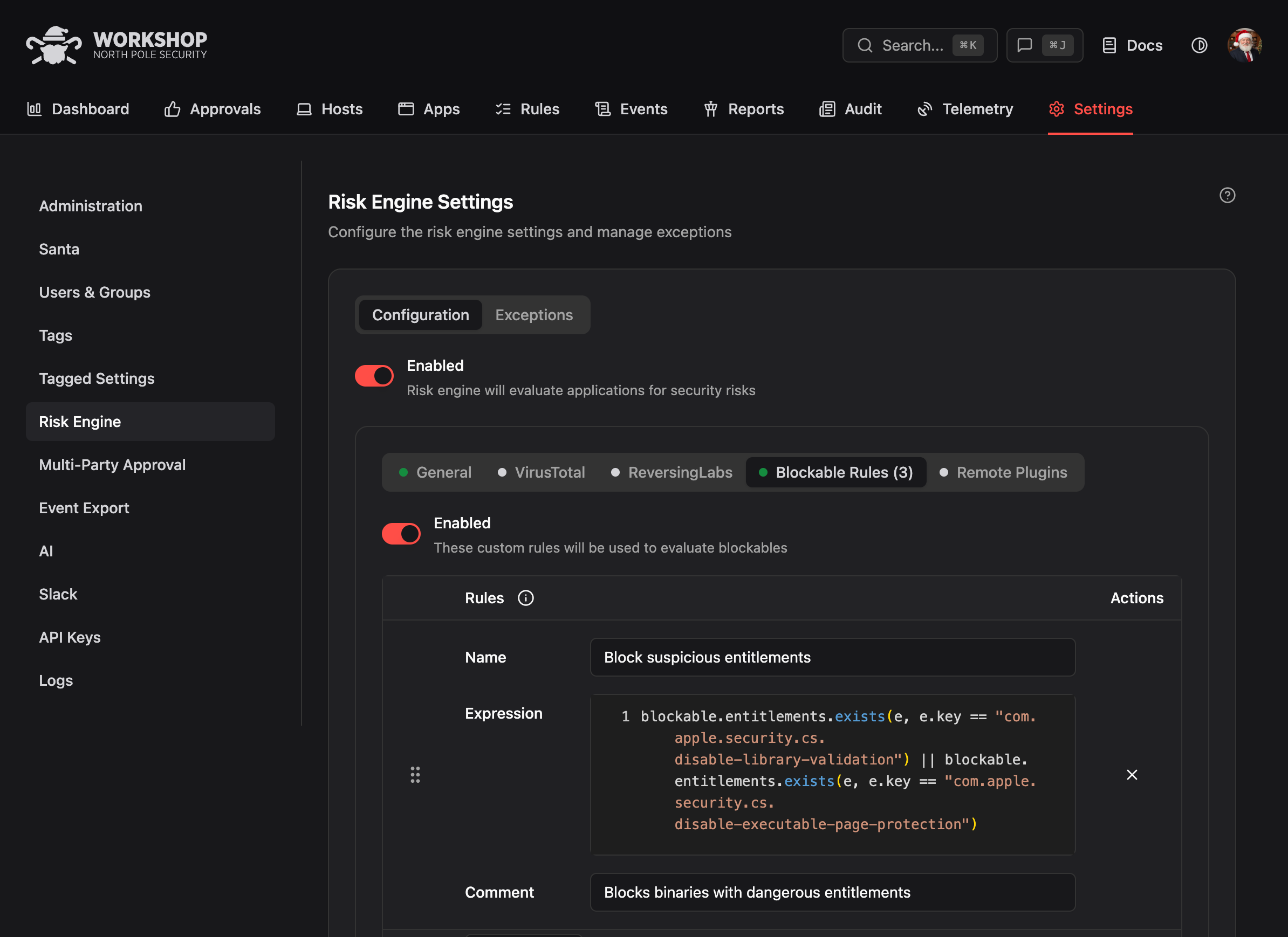
Write your own policy in Google's Common Expression Language (CEL). Match on SHA-256, CDHash, signing ID, Team ID, certificate chain, or entitlements. Included with Workshop.
Custom plugins
Build your own
When the built-in plugins aren't enough, write a remote plugin. Workshop makes an HTTP request to your service for every event and your service returns ALLOW, DENY, or DENY_MALWARE. You own the TLS and auth. We handle the fan-out, caching, and deadlines.
Internal threat intel
Check every binary against your in-house IOC database, TIP, or threat-intel feed. Your analysts' research becomes an automatic block rule across the fleet.
Vendor allowlists
Cross-check against your approved vendor catalog, procurement system, or software asset management tool. If it's not on the approved list, it doesn't get approved.
Custom risk scoring
Plug in your own risk model. Combine publisher reputation, binary age, internal usage data, and anything else you track into a single allow or deny decision.
EDR and SIEM lookups
Ask CrowdStrike, SentinelOne, Splunk, or any tool in your stack whether a hash has a known detection. Use the answer as another vote in the approval process.
Geo and tenant routing
Route decisions differently for different regions, subsidiaries, or tenants. Your plugin picks the right policy based on host metadata before it returns a verdict.
License and compliance checks
Block software that isn't licensed for the requesting user's business unit, or that would violate an export-control policy. Turn compliance rules into runtime enforcement.
Configuration
Flexible configuration
Apply different policies to different parts of your fleet, grant temporary exceptions, and re-evaluate on demand.
Per-tag settings
Enable or disable specific plugins per host tag. Different policies for production, developer laptops, and contractor devices.
Exceptions
Grant a tagged group a time-limited exception to a specific plugin decision. Great for letting the vpn-access tag run software that's blocked for everyone else.
Force re-eval
Clear cached results and re-evaluate a binary on demand. Useful when a vendor fixes a false positive or a threat feed updates.