
Lockdown without the lockup
Workshop's flexible approval workflows keep teams productive while maintaining security.


The dilemma
The allowlisting dilemma
Choose between locking everything down or letting everything through. There has to be a better way.
Too strict
Pure lockdown blocks legitimate work. Every new tool turns into a ticket queue.
- IT becomes the bottleneck
- Users get frustrated
- Shadow IT increases
Too loose
Monitor-only mode provides visibility but no protection.
- Everything runs, including malware
- You just get logs
- Security falls behind
Workshop's answer
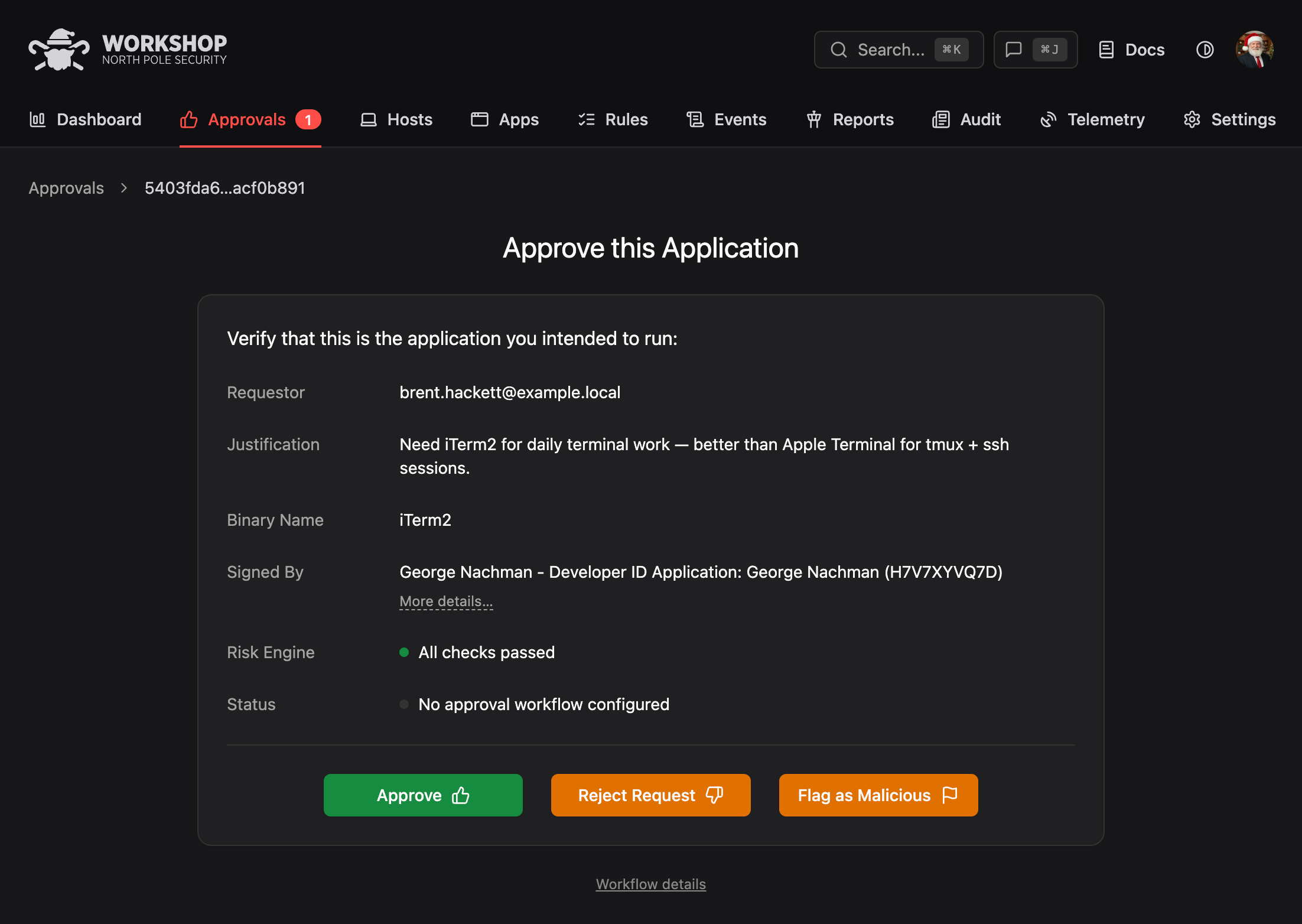
Flexible approval workflows
Keep lockdown's protection while giving users safe ways to approve the software they need. Security stays in control of policy. Users get unblocked in minutes, not days.
Workflows
Choose your workflow. Or run several.
Mix and match across teams. Use stricter workflows for sensitive groups, lighter ones for low-risk environments.

- 01
Self-service
Users approve their own software after the Risk Engine validates it against VirusTotal, ReversingLabs, and any custom plugins you wire in. Self-approval only proceeds when every check comes back clean. Best for low-risk environments and developer teams.
- 02
Manager approval
The requester's direct manager must sign off before a binary is allowed. Workshop pulls reporting structure from your IdP (Okta, Google, Entra) so the right manager is routed automatically. Best for compliance-sensitive environments.
- 03
Specific approvers
Designated security team members review every request. Requests queue up in a shared inbox with Risk Engine results pre-attached, so reviewers approve or deny in seconds instead of triaging raw alerts. Best for high-security environments.
- 04
Tag-based
Any member of a tagged group can approve on behalf of the team. Tags map to your org (platform-eng, design, soc-tier-2) so you distribute approval authority without giving everyone global admin. Best for team-based, distributed responsibility.
- 05
Social voting
Peer consensus with configurable local and global thresholds. Once enough trusted coworkers have independently run a binary without issue, it is automatically promoted to an org-wide allow rule. Learn more about social voting.
- 06
Slack-native approvals
Every workflow works directly in Slack. Requesters get a prompt the instant a binary is blocked, approvers get a rich message with one-click buttons, and the entire back-and-forth happens in the channel or DM where your team already lives.
Safety net
Every approval has a safety net
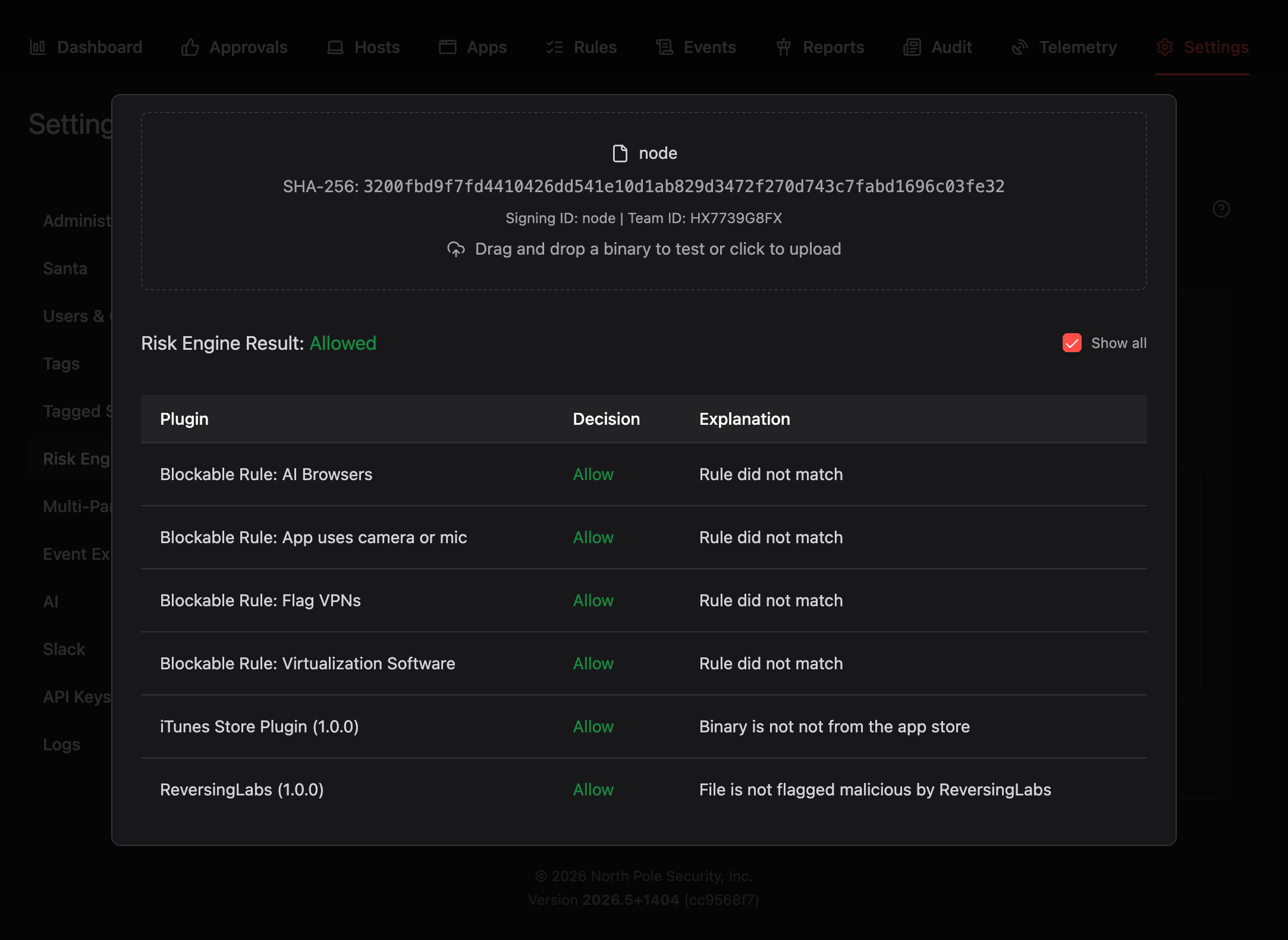
The Risk Engine screens every request before it reaches an approver. No workflow, vote, or admin override can let known malware run.
In Slack
Approve without leaving Slack
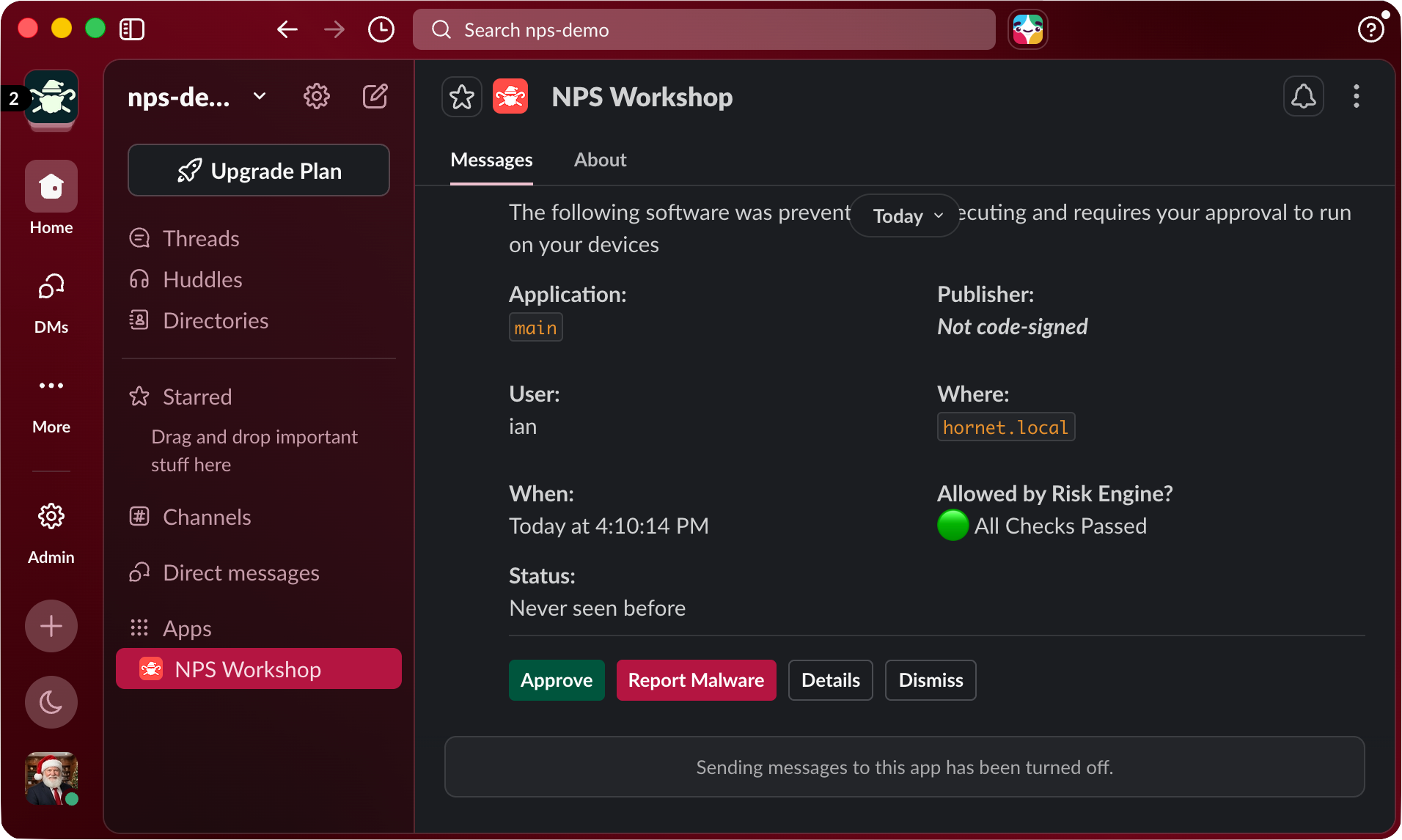
Workshop's Slack bot turns blocked executions into interactive approval requests. No context switching, no dashboard tabs.
Rich context in every message
App name, publisher, signing identity, binary path, and the device it ran on. Everything an approver needs to make a decision, right in the message.
Risk Engine results inline
VirusTotal, ReversingLabs, and custom rule results displayed before the approve button. If the Risk Engine flags it, the approve button is disabled automatically.
One-click approve or deny
Interactive buttons for Approve, Report Malware, and Details. Voting progress updates live for social voting and multi-approver workflows.
Multi-approver coordination
For designated approver workflows, the bot creates group DMs with the requester and approver. Or route all requests to a shared approval channel for team visibility.
Beyond Slack
Email and web dashboard
For teams that prefer other channels or need a single pane of glass.
One-click approve and deny links land in the right approver's inbox. For teams that prefer email notifications or need an asynchronous fallback.
Web dashboard
Full approval queue with search, filtering, and bulk actions. Built for high-volume environments and security teams that want a single pane of glass.
Audit trail
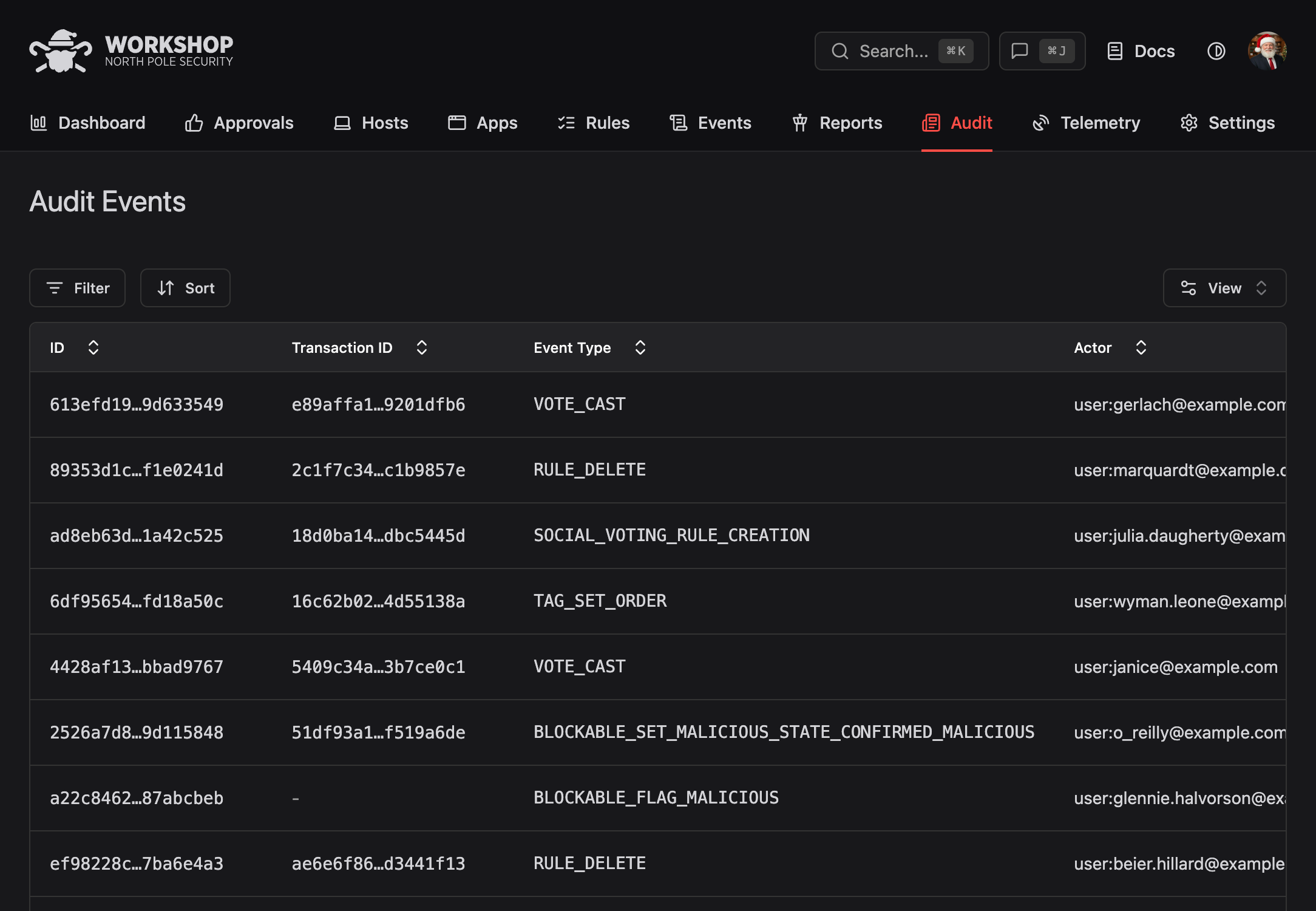
Complete audit trail
Every approval decision is logged for compliance and incident response. Reconstruct any decision later with full context.
-
Who requested
User, device, manager, and team for every approval request, tied back to your IdP so identity is never ambiguous.
-
What was approved
Binary name, hash, signing identity, Team ID, and full path. Every dimension Santa uses for enforcement is captured at decision time.
-
Who approved
Approver identity, workflow type, and any voters or co-approvers. Multi-step approvals are recorded end to end.
-
Why it was approved
Risk Engine results, justification text, and any policy tags applied. Reconstruct the decision later with full context.